
Reading a Recipe
Everything you see on a recipe page. Ingredients, directions, nutrition, and tools to help you cook.
Steps
Tap any recipe card to open its full detail page. Here's what you'll find.
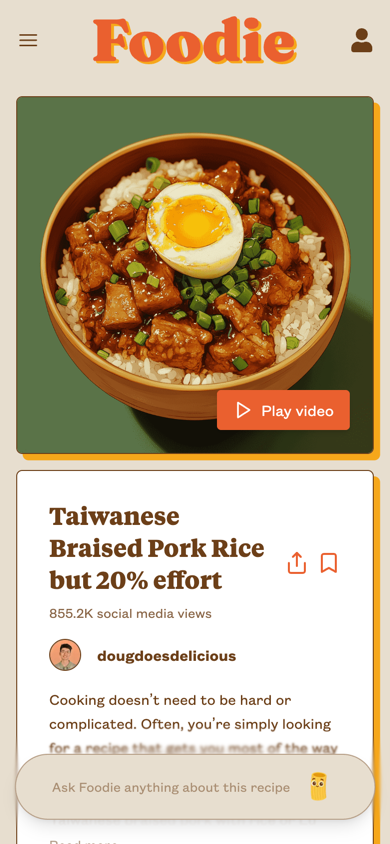
At the Top
The recipe page opens with the dish photo, title, cook time, and prep time. If the recipe includes video guides, you'll see a Play video button on the image. Recipes from social media also show a view count.
Below the title, you'll find:
- Servings control to adjust quantities up or down
- Units toggle to switch between Imperial (cups, tablespoons) and Metric (milliliters, grams)
- Get Ingredients button to add everything to your grocery list or order via Instacart
- Start Handsfree Cooking button to follow along with voice (more on this below)
Ingredients
Each ingredient lists the quantity, name, preparation notes, and a weight equivalent in parentheses. Ingredients are grouped by category when a recipe has multiple parts (e.g., "For the sauce," "For the garnish"). Check off items as you go.
Alternate Measurements
Tap any bold measurement to cycle through equivalent units. For example, "2 cup" becomes "96 tsp," then "32 tbsp," then back to "2 cup." Handy when your measuring cups are in the dishwasher. You can also use the Units toggle at the top of the recipe to switch all ingredients between Imperial and Metric at once.
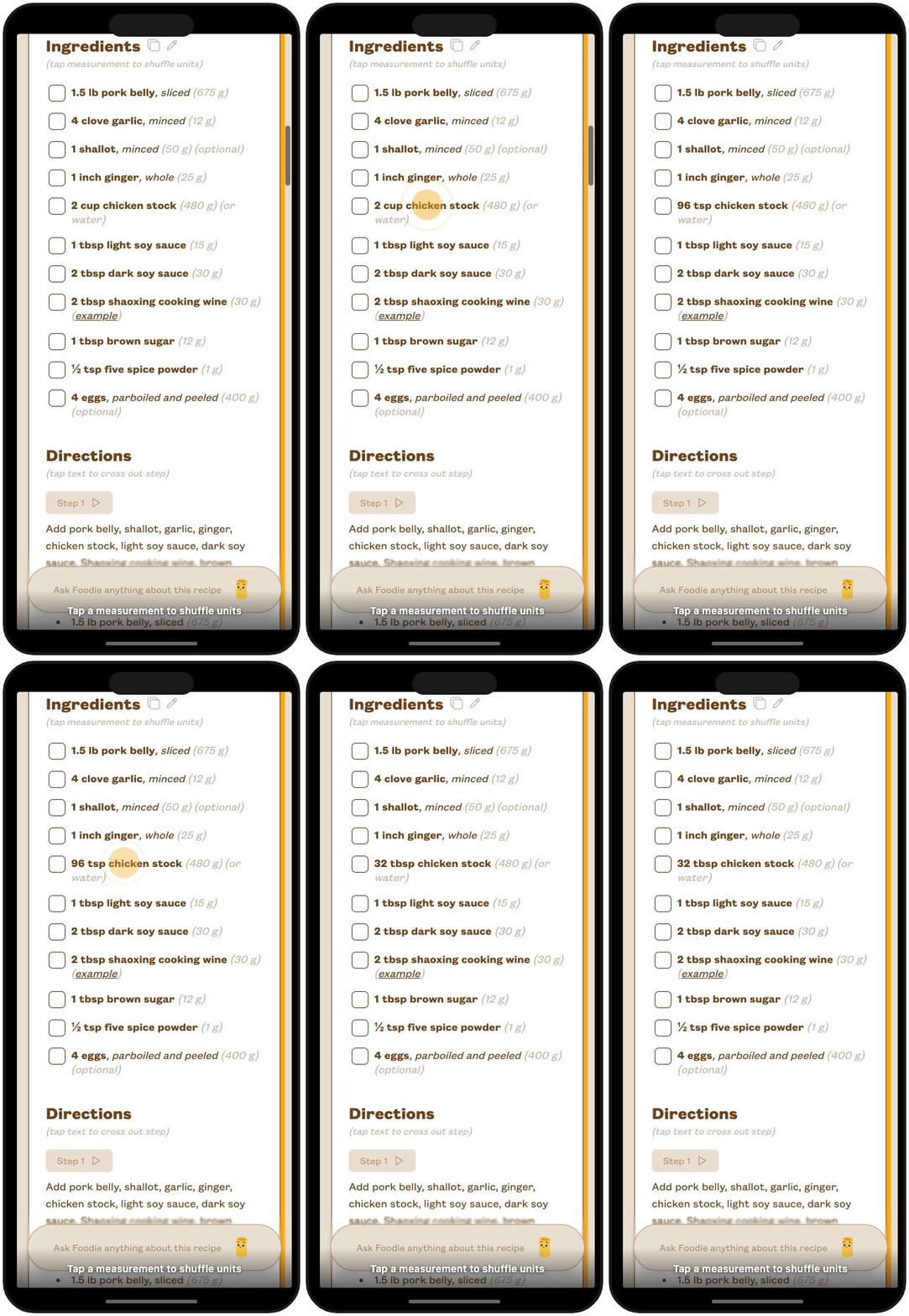
Tip: Use the copy icon next to the Ingredients heading to copy the full ingredient list to your clipboard.
Directions
Step-by-step instructions walk you through the recipe. Each step lists the relevant ingredients so you can see exactly what you need. Tap a step's text to cross it out as you complete it.
Some recipes include video for individual steps. Tap the play button next to a step to watch a short clip of that part of the cooking process.
Hands-Free Cooking
Tap Start Handsfree Cooking to use voice mode while you cook. Foodie reads the recipe steps aloud and answers your questions, so you can keep your hands on the food instead of your phone. Free users get limited access, and premium subscribers get extended sessions. Learn more in Foodie Chat Assistant.
Nutrition Information
Scroll down to see per-serving and total nutrition data, including calories, fat, protein, carbs, and more. Tap or hover over any nutrient row to see which ingredients contribute to that value. Learn more in Nutrition Information.
Notes
Many recipes include a Notes section with common questions and tips, like substitution ideas, storage instructions, and equipment suggestions. Tap any question to expand the answer.